在 Cloudflare Pages 上由 GitHub 触发自动构建部署时,可能会遇到类似如下的构建失败日志,提示 yarn.lock 锁定文件会被修改:
1
2
3
4
5
6
7
8
9
10
11
12
13
14
15
16
17
18
19
20
21
22
23
24
25
26
27
28
29
30
31
| 14:10:57.059 Cloning repository...
14:10:57.912 From https://github.com/zhixiakj/opcgrow
14:10:57.912 * branch c466e61bb346bc9d164e4c937fe9f4ec94c38a53 -> FETCH_HEAD
14:10:57.912
14:10:57.931 HEAD is now at c466e61 replace `npm` with `yarn`
14:10:57.931
14:10:57.970
14:10:57.970 Using v2 root directory strategy
14:10:57.987 Success: Finished cloning repository files
14:10:59.275 Checking for configuration in a Wrangler configuration file (BETA)
14:10:59.275
14:11:00.367 No Wrangler configuration file found. Continuing.
14:11:00.498 Detected the following tools from environment: [email protected], [email protected]
14:11:00.499 Installing project dependencies: yarn
14:11:01.133 ➤ YN0087: Migrated your project to the latest Yarn version 🚀
14:11:01.133
14:11:01.135 ➤ YN0000: · Yarn 4.9.1
14:11:01.149 ➤ YN0000: ┌ Resolution step
14:11:03.348 ➤ YN0085: │ + hexo-generator-archive@npm:2.0.0, hexo-generator-category@npm:2.0.0, hexo-generator-index-pin-top@npm:0.2.2, hexo-generator-index@npm:4.0.0, and 279 more.
14:11:03.354 ➤ YN0000: └ Completed in 2s 205ms
14:11:03.373 ➤ YN0000: ┌ Post-resolution validation
14:11:03.373 ➤ YN0028: │ The lockfile would have been modified by this install, which is explicitly forbidden.
14:11:03.373 ➤ YN0000: └ Completed
14:11:03.373 ➤ YN0000: · Failed with errors in 2s 239ms
14:11:03.397 Error: Exit with error code: 1
14:11:03.398 at ChildProcess.<anonymous> (/snapshot/dist/run-build.js)
14:11:03.398 at Object.onceWrapper (node:events:652:26)
14:11:03.398 at ChildProcess.emit (node:events:537:28)
14:11:03.398 at ChildProcess._handle.onexit (node:internal/child_process:291:12)
14:11:03.403 Failed: build command exited with code: 1
14:11:04.008 Failed: error occurred while running build command
|
这个问题是因为本地开发的 Yarn 版本和 Github 构建环境使用的 Yarn 版本不同,导致在云端环境安装依赖时检测到 yarn.lock 文件存在变更冲突。
我们可以通过配置 YARN_VERSION 环境变量来指定 Cloudflare Pages 构建所使用的 Yarn 版本,以保持和本地完全一致。
解决步骤
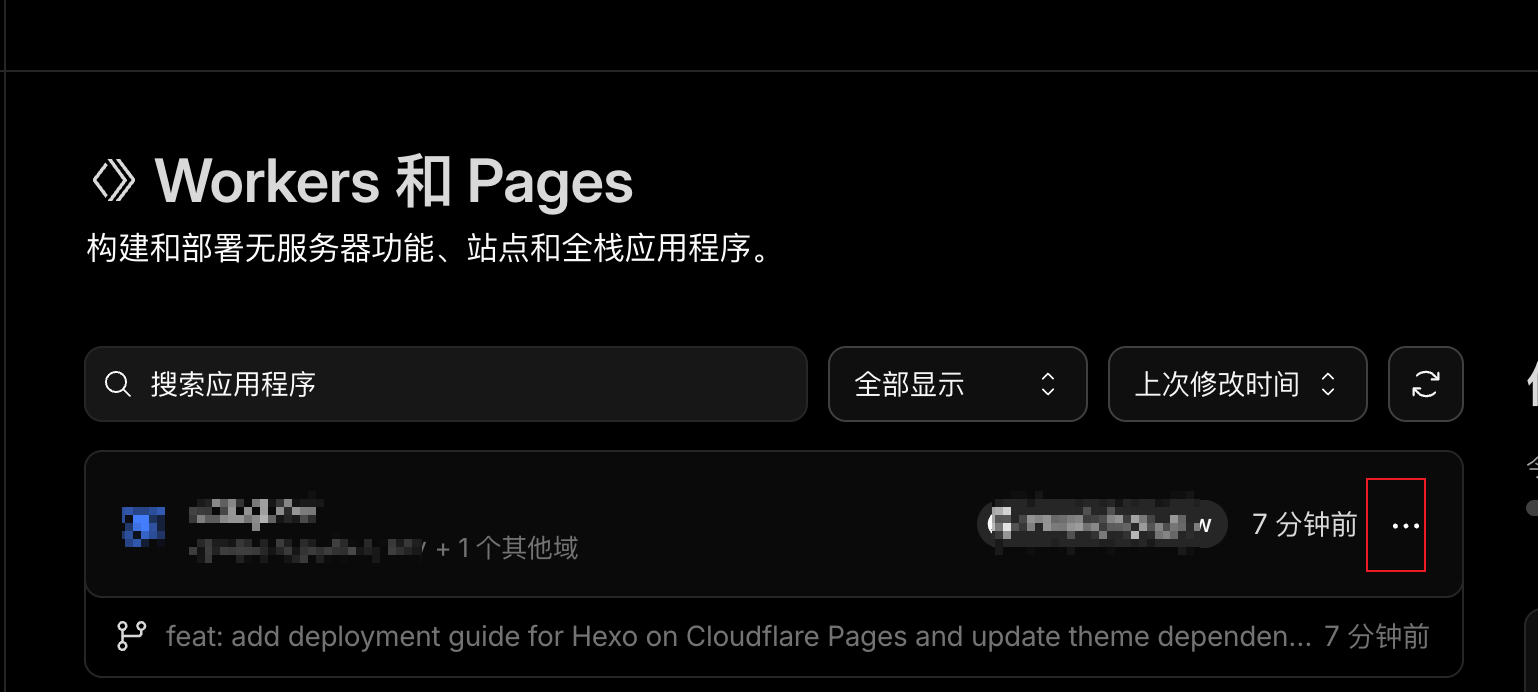
在 Cloudflare Pages 中打开管理该项目的页面:
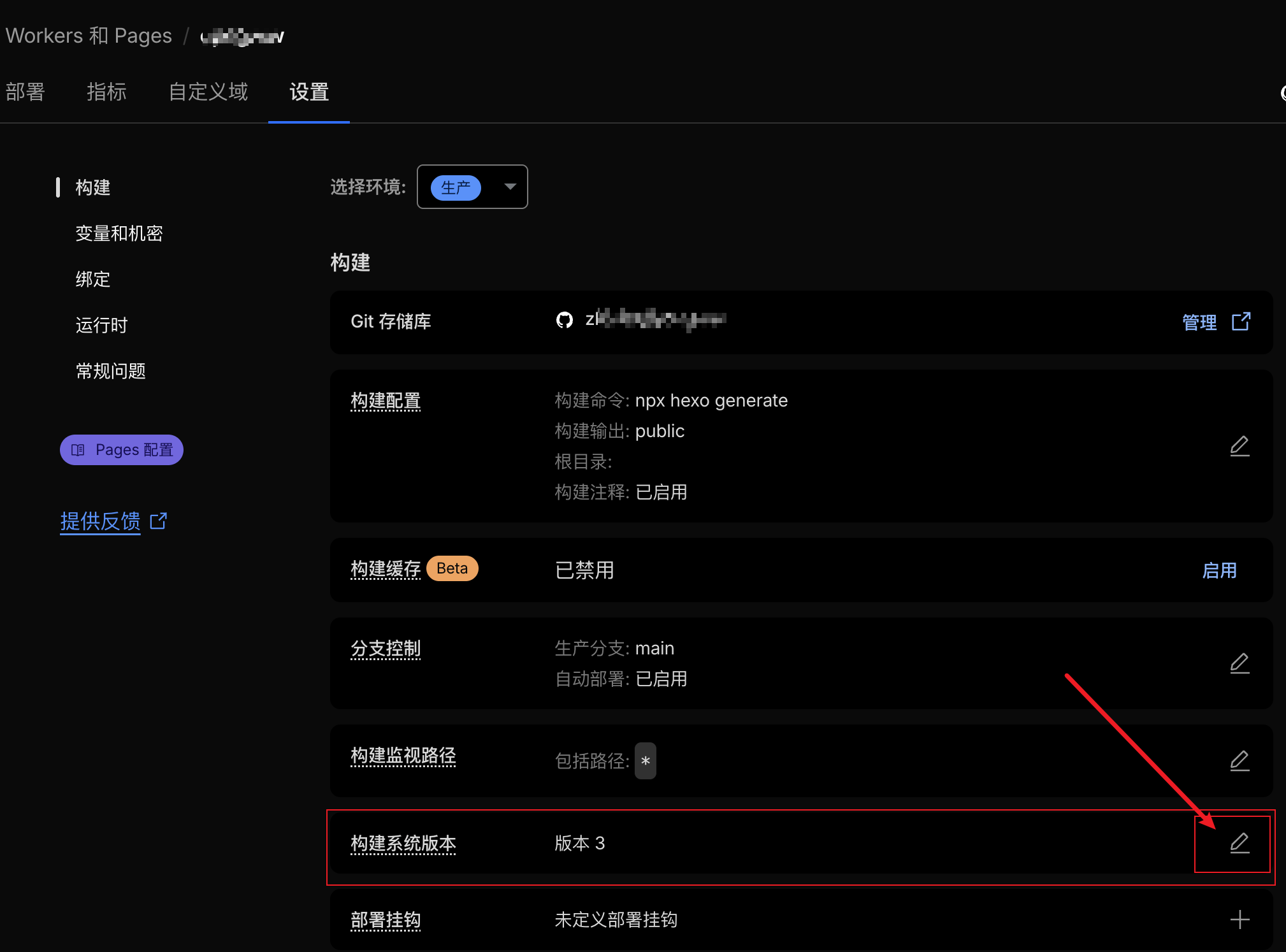
转到设置,编辑环境变量选项(可以设置生产和预览环境):
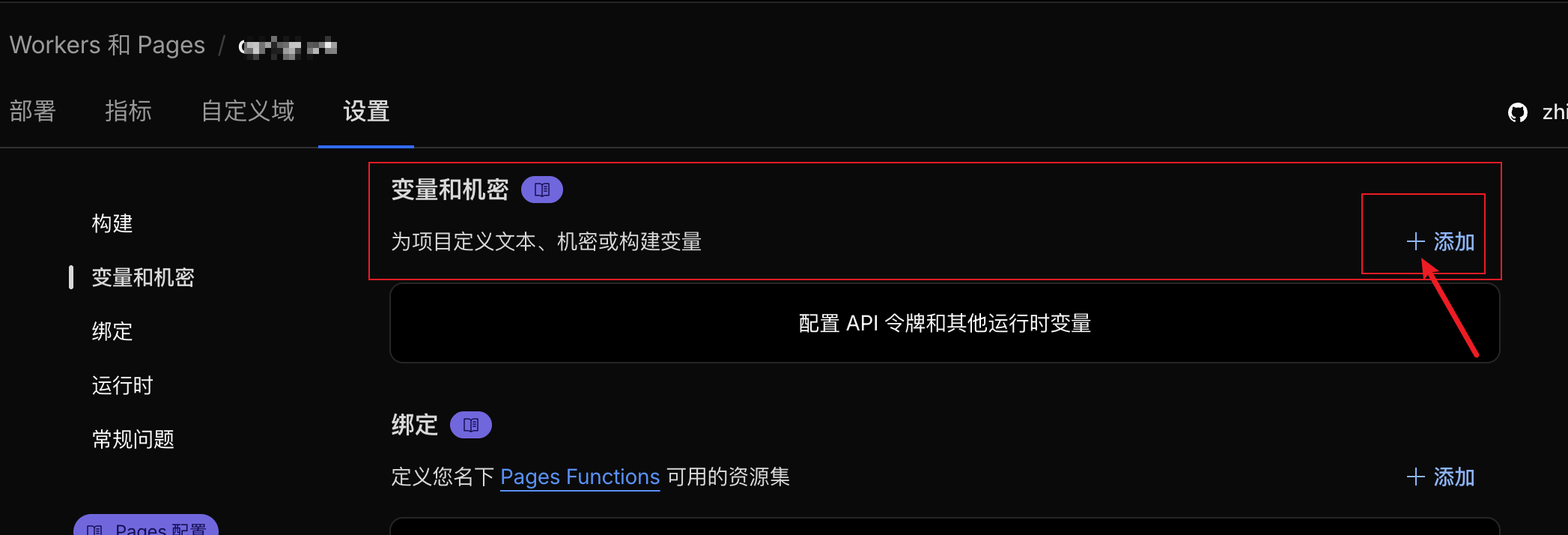
添加 YARN_VERSION 环境变量,其值设置为你本地开发所用的 Yarn 版本号。你可以通过在本地终端运行 yarn -v 命令来查看当前使用的版本,并确保和 package.json 中的 packageManager 字段对应的 Yarn 版本相互匹配。
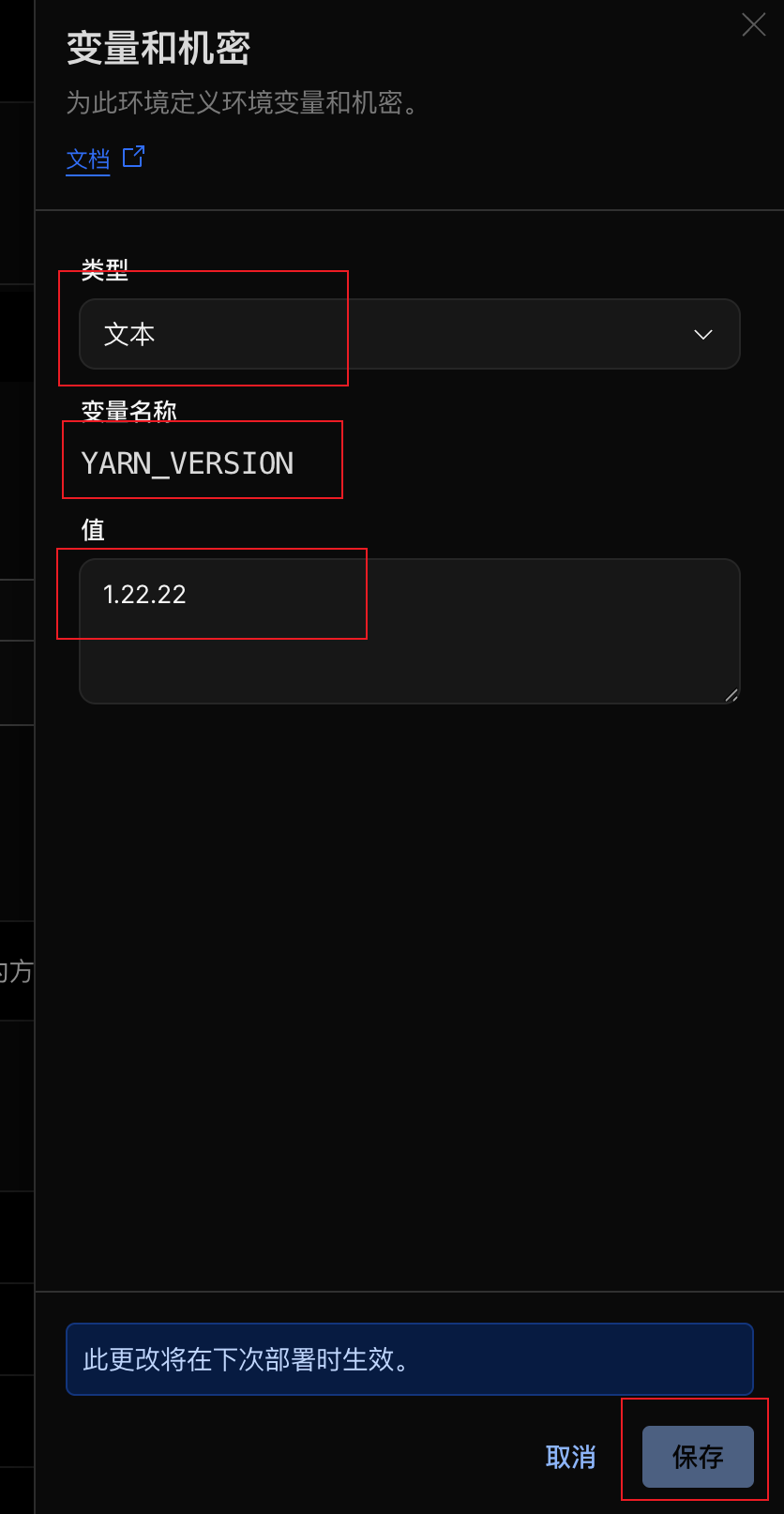
保存变量配置后,返回部署页面发起一次重新部署。这时系统就会应用新的 Yarn 版本,构建即可以成功执行。

更多参考
如果你还需要指定 Node.js、Python 等其他构建工具的版本,也可以通过类似的方式配置对应的环境变量。更多详细的环境变量支持请参考官方文档: